GKS Companion: bring your Twitch community into the city
GKS Companion is now published on Twitch. Viewers of a stream on your server read its news, browse its socials, collect free cards and join Streamer Drops from the stream overlay — and it is included with every GKSPHONE license.
By GKSHOP Team/Revisado por Equipo de GKSHOP
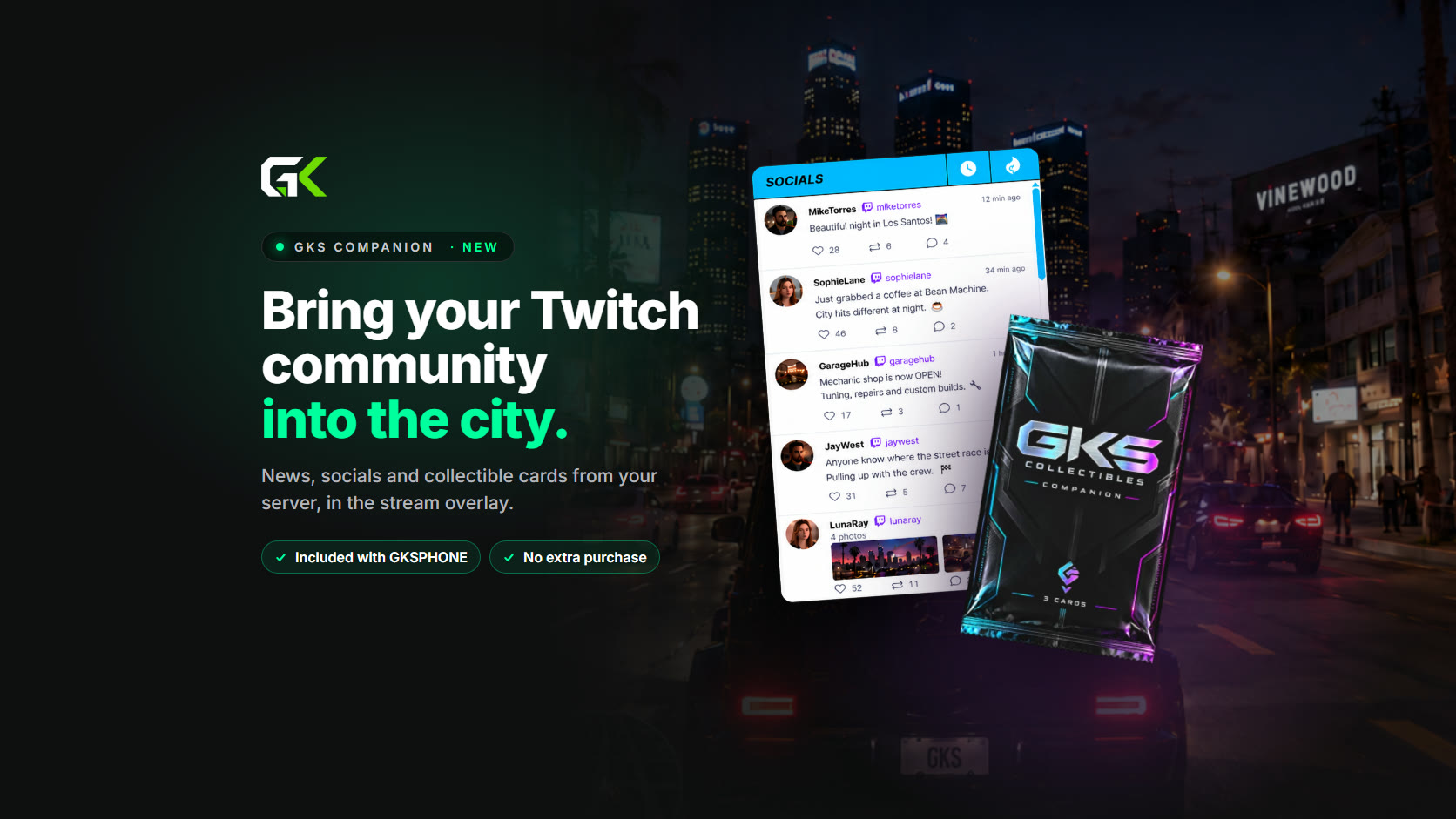
Roleplay servers are found on Twitch. Someone watches a streamer drive through the city, likes what they see, and goes looking for the server. Until now, that viewer could only watch. GKS Companion, a Twitch Extension built on GKSPHONE, lets them take part: the city's news, its social feed and its own collectible cards sit in the stream overlay, one click from the video.
It is published on Twitch today, and every GKSPHONE license can use it. There is nothing extra to buy.
What viewers get
- News — the server's public updates, with full posts and older news to browse
- Socials — the posts your players write in game, sorted by newest or by most liked in the last 24 hours, with their comments
- Reactions — like or unlike a post after choosing to share a Twitch identity
- Collectibles — open packs, search a collection, showcase up to three cards and browse the community leaderboard
- Daily packs — one free pack per server day for watching for the duration the extension shows
- Streamer Drops — a timed giveaway the broadcaster starts, where one eligible viewer wins a pack
None of it asks the viewer for anything first. There is no FiveM character to create, no game to download and no GKSHOP account to make; the overlay opens from the video player like any other extension.
Why it matters to a server owner
A stream on your server is already an advertisement for it. Companion makes it a better one. A viewer who reads the city's news and scrolls its social feed follows the whole server, not one character, and a viewer collecting your city's cards has a reason to come back to the next stream.
Streamers get something too. Drops are a giveaway they can run from Twitch without setting anything up on your side, which gives them a reason to choose your city and a moment to build a stream around.
Cards that belong to your city
The card pool is yours. From the dashboard at app.gkshop.org you add cards with your own artwork, give each one an optional Foil and Gold edition, mark it common or ultra, and decide which cards can still appear in new packs. A new server starts with a set of starter cards, so packs work from the first day.
- Each pack holds three different cards, and a card can appear again in later packs
- Points come from the edition and the rarity: Base 5, Foil 50, Gold 500, and 5,000 more for an ultra card
- The leaderboard can be reset for a new season; owned cards and showcases stay
- Daily limits follow your server's own timezone, not the viewer's clock
Cards and packs are free. They have no monetary or trade value, and nothing in the extension can be bought.
Streamer Drops
A broadcaster starts a Drop from the extension's Live Configuration. It runs for ten minutes, and each channel can start one per server day. Viewers who are logged in and share their Twitch identity enter once, and one eligible entrant wins a pack; each viewer can win one Drop per server day. Results appear on their own, without a refresh.
No purchase, follow, subscription or Bits are required to enter. The broadcaster runs the Drop and is responsible for telling viewers its rules, including that Twitch does not sponsor it.
Setting it up
- Enable Companion in the phone's config.lua with the server ID you will register, and restart the resource
- Sign in at app.gkshop.org with Discord, open Services → Companion Collectibles and add the server; it checks your public endpoint before registering it
- Copy the generated config block into config.lua and restart again
- Choose the features to expose, set your timezone and review the card pool — keep at least three different cards active
- Streamers install GKS Companion on Twitch as a video overlay, select your server and link their character in game with /twitchlink
Companion needs a current GKSPHONE release with Companion support and a server endpoint that is reachable from the internet. It works independently of the Real App, and managing it requires Discord sign-in with access to the Companion category — not a separate purchase.
The full walkthrough, including dashboard management and troubleshooting, is in the documentation.
More from Product
September 2, 2026 - 9 min read
GKSPHONE v2.8.0: GKS Watch, four new apps, and a home screen you arrange
The biggest release since 2.7 brings GKS Watch to the wrist, adds Clock, Weather, Calendar and a rebuilt Notes, opens the home screen up to drag-and-drop pages and painted wallpapers, and widens housing support to eight scripts.
August 14, 2026 - 8 min read
GKSPHONE v2.7.0: new apps, deeper systems, and a refreshed design
Our biggest update yet brings Live Activities, the new Blink app, Mechanic Request, Restaurants, Courier and Voice Memo, screen damage and repair, Face ID, Focus Modes, phone storage, and a redesigned interface.